
DYPA 18–29: €17,500 Grant Results Announced – Objections via OPSKE
When Were the DYPA 18–29 €17,500 Grant Results Released?
The results for the Integrated Program for Supporting New Entrepreneurship
for unemployed people aged 18-29, with a particular focus on women
and businesses operating in the digital and green economy,
were officially announced by DYPA on June 3, 2026.
The result tables have been published on the DYPA website,
applicants can monitor their application status and submit objectionsthrough the
Integrated State Aid Information System (OPSKE).
The total grant for each new business amounts to
17,500 euros and is paid in three installments:
4,700 euros after the official start of business operations,
6,400 euros after the end of the first semester and
6,400 euros after the end of the second semester.
Where can I see the results?
- In the official announcement and in the tables posted by the DYPA.
- In the notification email sent to each applicant for the evaluation result.
- In OPSKE with the personal TaxisNet codes →
https://app.opske.gr/
Important: There is a right of objection within 10 days
from the day after the notification of the evaluation results via email.
The objection is submitted exclusively electronically through OPSKE.
Official announcement DYPA • June 3, 2026
DYPA Publishes Results for the €17,500 Young Entrepreneurship Grant
On June 3, 2026, the results of the evaluation of funding applications for the
“Integrated Program to Support New Entrepreneurship
for unemployed people aged 18-29 with an emphasis on women and the digital
and green economy” were posted on the DYPA website.
The program is part of the innovative actions of the DYPA, which
aim to strengthen workforce participation and entrepreneurship among young people and
ensure access to financing for unemployed people aged
18 to 29.
Particular emphasis is given to women and to
business activities related to the
digital and the green economy.
Grant Amount
Upon joining the program, beneficiaries will receive a grant
for a period of 12 months, starting from the date of
the start of their business activity.
The amount of support for each new business amounts to
17,500 euros.
Payment in 3 installments
- 1st installment €4,700:
after the business commences operations. - 2nd installment €6,400:
after the end of the first semester. - 3rd installment €6,400:
after the end of the second semester.
Objections via OPSKE within 10 days
Objections against the evaluation tables can be submitted
exclusively digitally through the
Integrated Information System of State Aid
(OPSKE).
The submission is made at the address
https://app.opske.gr/
within a period of ten (10) days from the day following
the notification of the Evaluation Results via e-mail.
Therefore, the interested party must carefully check the
notification email, because from there the calculation of the
deadline for a possible objection begins.
What applies to approved applications without immediate funding?
In parallel, the DYPA is in the process of securing additional funding, so that after the completion of the submission and examination of objections, it will be possible to include approved applications that could not be funded due to budget limitations of the available budget.
Budget and co-financing
The program has a total budget of
37,000,000 euros and is co-financed by
the Greek State and
the European Social Fund+ (ESF+), within the framework of
the Program
“Human Resources and Social Cohesion 2021-2027”.
How to Check If You Are Among the Approved Beneficiaries of the DYPA 17,500€ Grant
You can check if your application has been approved by searching for the Application Code in the published results tables.
The DYPA has posted three tables:
- 📄 Table 1: Approved applications
- 📄 Table 2: Applications that were positively evaluated but are not supported due to budget exhaustion
- 📄 Table 3: Applications that were rejected
🔎 To find your code:
Use the Ctrl + F function (or “Search on page”) and paste the Application Code.
🟢 TABLE 1 – Approved Applications
💡 To search for your Application Code, first click inside the table and then press Ctrl + F (or Cmd + F for Mac).
🔵 TABLE 2 – APPROVED BUT NOT FUNDED
💡 To search for your Application Code, first click inside the table and then press Ctrl + F (or Cmd + F for Mac).
🔴 TABLE 3 – Rejected Applications
💡 To search for your Application Code, first click inside the table and then press Ctrl + F (or Cmd + F for Mac).
⚠️ Were You Not Approved or Are You in the Non-Supported Group?
If your application was rejected or you were in the non-supported group due to budget exhaustion, you can exercise your right to objection. The right support and reinforcement of your Business Plan can make the difference!
❓ Don’t see your name on the boards?
👉 Contact for direct support & objection with credibility.
What Do You Do If You Are Approved?
If your code is in the Approved Table (Table 1), then congratulations – your application has been approved! Now the real phase of your business journey begins. With the right guidance from a business consultant and digital marketer, you can make the most of the grant.
📌 The Next Steps
- Search for an Accountant: Choose a trusted accountant to start a business at the Tax Office.
- Starting a Business: The first installment (4,700€) is disbursed after the confirmed start.
- Sending Supporting Documents: Collection and sending documents according to the Public Invitation.
- Business Continuity: The business must remain operational for at least 12 months.
🧠 Professional Support
Working with a business development consultant and digital marketing specialist can significantly increase the chances of your business’s viability and success.
What Do You Do If You Are Not Approved or Not Supported?
If your name appears on the Rejected table or the Approved Unsupported Applications due to Budget Exhaustion table, there are still options to seek inclusion in the program.
📌 Recognition of Your Position
- 📄 If you are in Table 2, your application was evaluated positively but was not subsidized due to limited budget.
- ❌ If you are in Table 3, your application was rejected for a specific reason (formal or qualitative).
📝 Objection & Claiming a Position
In both cases, you can submit an objection within 10 days of the announcement through OPSKE. With documented arguments, there is a possibility of reconsideration and approval.
🤝 Preparation with a Consultant
At MegaProfit we offer a comprehensive evaluation of your file, drafting of objections and improved business plan, tailored to the eligibility and high scoring criteria.
📩 Contact us for a free pre-check of objections or preparation for the next announcement.
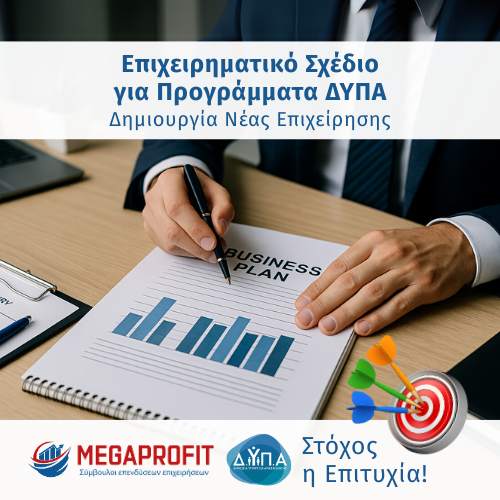
The Role of the Business Plan in the Final Score
The business plan is the most important part of the application to the DYPA program for a grant of €17,500. According to the detailed invitation, this plan determines 70%-80% of the total score of your proposal.
Although formal supporting documents are necessary for participation, the substantive evaluation focuses on:
- 📌 The completeness of the business plan
- 📌 The realism of the financial plan
- 📌 The marketing and sustainability strategy
- 📌 The coherence and clarity of the file
A well-designed, documented and professionally structured business plan can make the difference between a rejected and a funded proposal.
💡 What MegaProfit offers
In our office, we undertake the creation of a fully customized business plan with the aim of:
- ✅ Maximum score based on evaluation criteria
- ✅ Competitiveness compared to other applications
- ✅ File readiness for each case (objection, next cycle)
📞 Talk to a Business Consultant & MegaProfit Digital Marketer for your file.
How to File an Objection – The Steps
Objections against the results can be submitted exclusively digitally through the Integrated State Aid Information System (OPSKE) of the Ministry of National Economy and Finance at the following address:
https://app.opske.gr/.
The deadline for filing an objection is 10 days from the day following the notification of the Decision to Approve the Evaluation Results, which is sent via email to each beneficiary.
📌 Submission Instructions
- ➡️ Visit the official page https://opske.gr/el.
- ➡️ Log in with your personal TaxisNet codes.
- ➡️ Select your application for the DYPA 17,500€ program.
- ➡️ Fill out the objection form, fully documenting the reasons for disagreement.
- ➡️ Attach any necessary supporting documents.
- ➡️ Submit digitally and keep proof of submission.
📩 Do you want to increase the chances of your objection being accepted? The MegaProfit team is at your disposal for free evaluation and guidance.
❌ What to Do If You Have Not Been Approved?
If you did not find your code in the Approved Applications Table, there are still options for action and claim:
📌 1. Are you on the “Not Supported Due to Budget Exhaustion” list?
If your application was evaluated positively but is not supported due to budget exhaustion (Table 2), there is a possibility that you will be included in a future reallocation of funds or a new cycle.
- Keep your profile active on OPSKE
- Stay in touch with your advisor
- Submit an objection only if there is an obvious evaluation error
📌 2. Are you on the Rejected List?
If your application was rejected (Table 3), read the reason for rejection in the table. Common reasons:
- Incomplete or unconvincing business plan
- Non-existent or incorrect supporting documents
- Formal or technical errors during submission
🛡️ Support from the MegaProfit Team
Our experienced team can help you:
- With free evaluation of your file
- With preparation and support in the objection (if deemed necessary)
- With guidance for subsequent program cycles
📩 Do you want a Second Chance?
Let’s review your application and the next steps together.
⚠️ Weren’t You Approved for the Program?
See if you are in Table 2 or 3. There may be room for an objection or to prepare properly for the next cycle!
✅ Αν έχεις ήδη εγκριθεί, δες εδώ τι πρέπει να κάνεις πριν λήξει το όριο των 90 ημερών για να μη χάσεις την επιδότηση.
Frequently Asked Questions about the DYPA 18-29 Results (17,500€)
When were the DYPA 18-29 results for the 17,500€ grant released?
The DYPA 18-29 results for the 17,500€ grant were posted on June 3, 2026 by DYPA. The evaluation tables were published on the official DYPA website and the notification is also made personally via email to the beneficiaries.
How many days do I have to file an objection with the DYPA 18-29?
You have a 10 day deadline to file an objection, which begins the day after the evaluation results are notified via email. The objection is submitted exclusively digitally through OPSKE at app.opske.gr.
How do I check if I was approved for the €17,500 grant?
Check if you were approved by searching for your Application Code in the three DYPA results tables: Table 1 (Approved), Table 2 (Approved but not supported) and Table 3 (Rejected). Use Ctrl + F within each table for a quick search. At the same time, you will receive an informative notification email from DYPA.
Why can’t I find my application in any of the DYPA results tables?
If you can’t find your application, it’s definitely in one of the three tables — all applications submitted on time are included. Common reasons include: you press Ctrl + F without first clicking within the table frame (the browser searches the webpage rather than the embedded spreadsheet), you search by VAT number or name instead of the Application Code given to you by OPSKE, or you check the wrong table of another DYPA program. For immediate and reliable verification, log in to app.opske.gr with your TaxisNet codes — there the status of your application is displayed directly with the official code.
In how many installments is the DYPA grant of €17,500 given?
The grant of €17,500 is paid in three installments over a period of 12 months: €4,700 after the start of activity, €6,400 after the end of the first semester and €6,400 after the end of the second semester.
What does “Table 2 — Approved but not supported” mean?
Table 2 includes applications that were evaluated positively but are not funded immediately due to exhaustion of the available budget. DYPA has announced that it is in the process of securing additional funding, so that these applications can also be included after the completion of the objections.
Can I file an objection if I was not approved due to budget exhaustion?
Η ένσταση έχει νόημα μόνο όταν υπάρχει εμφανές λάθος αξιολόγησης ή τεκμηριωμένη διαφωνία με την βαθμολόγηση. Αν βρίσκεστε στον Πίνακα 2 (μη ενισχυόμενες λόγω εξάντλησης), η ένσταση δεν αλλάζει την κατάταξή σας — η ένταξή σας εξαρτάται από εξασφάλιση πρόσθετης χρηματοδότησης από τη ΔΥΠΑ.
Πού υποβάλλεται η ένσταση για τη ΔΥΠΑ 18-29;
Η ένσταση υποβάλλεται αποκλειστικά ηλεκτρονικά στη διεύθυνση app.opske.gr, μέσω του Ολοκληρωμένου Πληροφοριακού Συστήματος Κρατικών Ενισχύσεων (ΟΠΣΚΕ). Η σύνδεση γίνεται με τους προσωπικούς κωδικούς TaxisNet του δικαιούχου. Δεν γίνονται δεκτές έντυπες ενστάσεις ή υποβολές με άλλον τρόπο.
Τι πρέπει να περιλαμβάνει μια ισχυρή ένσταση για τη ΔΥΠΑ 18-29;
Μια ισχυρή ένσταση περιλαμβάνει: τεκμηριωμένη επιχειρηματολογία για τους συγκεκριμένους λόγους διαφωνίας με την αξιολόγηση (όχι γενικότητες), συμπληρωματικά δικαιολογητικά που τυχόν δεν είχαν υποβληθεί σωστά αρχικά, βελτιωμένα σημεία του επιχειρηματικού σχεδίου κυρίως στην οικονομική προβολή και τη βιωσιμότητα της επιχείρησης, και σαφή αναφορά σε κάθε κριτήριο αξιολόγησης που θεωρείτε ότι βαθμολογήθηκε λανθασμένα. Υποβάλλεται ως δομημένο έγγραφο μέσω ΟΠΣΚΕ — όχι ως απλή δήλωση αμφισβήτησης.
Πόσες πιθανότητες έχω να εγκριθεί η ένστασή μου στη ΔΥΠΑ;
Η πιθανότητα εγκρίθεσης ένστασης εξαρτάται από την ποιότητα της τεκμηρίωσης και τη φύση των λόγων διαφωνίας — ενστάσεις με συγκεκριμένη επιχειρηματολογία και ισχυρά συμπληρωματικά στοιχεία έχουν σαφώς υψηλότερες πιθανότητες από γενικόλογες αμφισβητήσεις. Η MegaProfit έχει πετύχει 100% ποσοστό επιτυχίας στις ενστάσεις προγραμμάτων ΔΥΠΑ που έχει αναλάβει, μέσω σύνταξης δομημένου εγγράφου ένστασης και βελτίωσης των αδύνατων σημείων του φακέλου.
Τι κάνω μετά την έγκριση για τα 17.500€;
Μετά την έγκριση ξεκινάτε τη διαδικασία έναρξης επιχείρησης μέσω λογιστή στη ΔΟΥ. Η πρώτη δόση των 4.700€ εκταμιεύεται μετά την επιβεβαιωμένη έναρξη και την αποστολή των δικαιολογητικών σύμφωνα με τη Δημόσια Πρόσκληση. Η επιχείρηση πρέπει να λειτουργήσει υποχρεωτικά για τουλάχιστον 12 μήνες.





Leave A Comment